
Sometimes it happens that when you create a new webi and fetch results in a table, Webi generates a Blue and yellow color table with no results visible. This is a problem because of java.Your system automatically upgrades java and changes some settings.
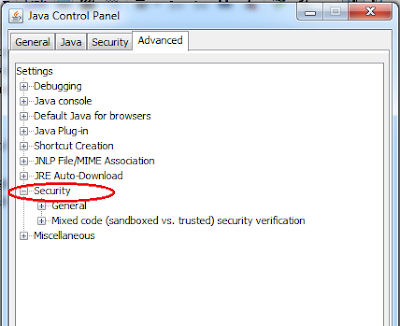

To overcome this issue , following steps can be used :
1. Go to control Panel and open java settings
2. In Java control panel, got to advanced tab and expand Security option.

3. Then expand Mixed code option and click on ' Enable - hide warning and run with protections '
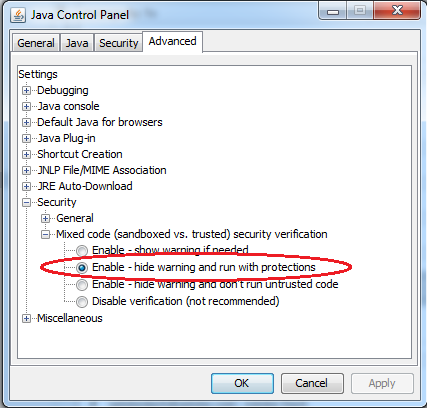
4. Click OK and Close all browsers and make sure you logout from infoview. Then login to infoview and start creating webi, every thing will be fine now.
